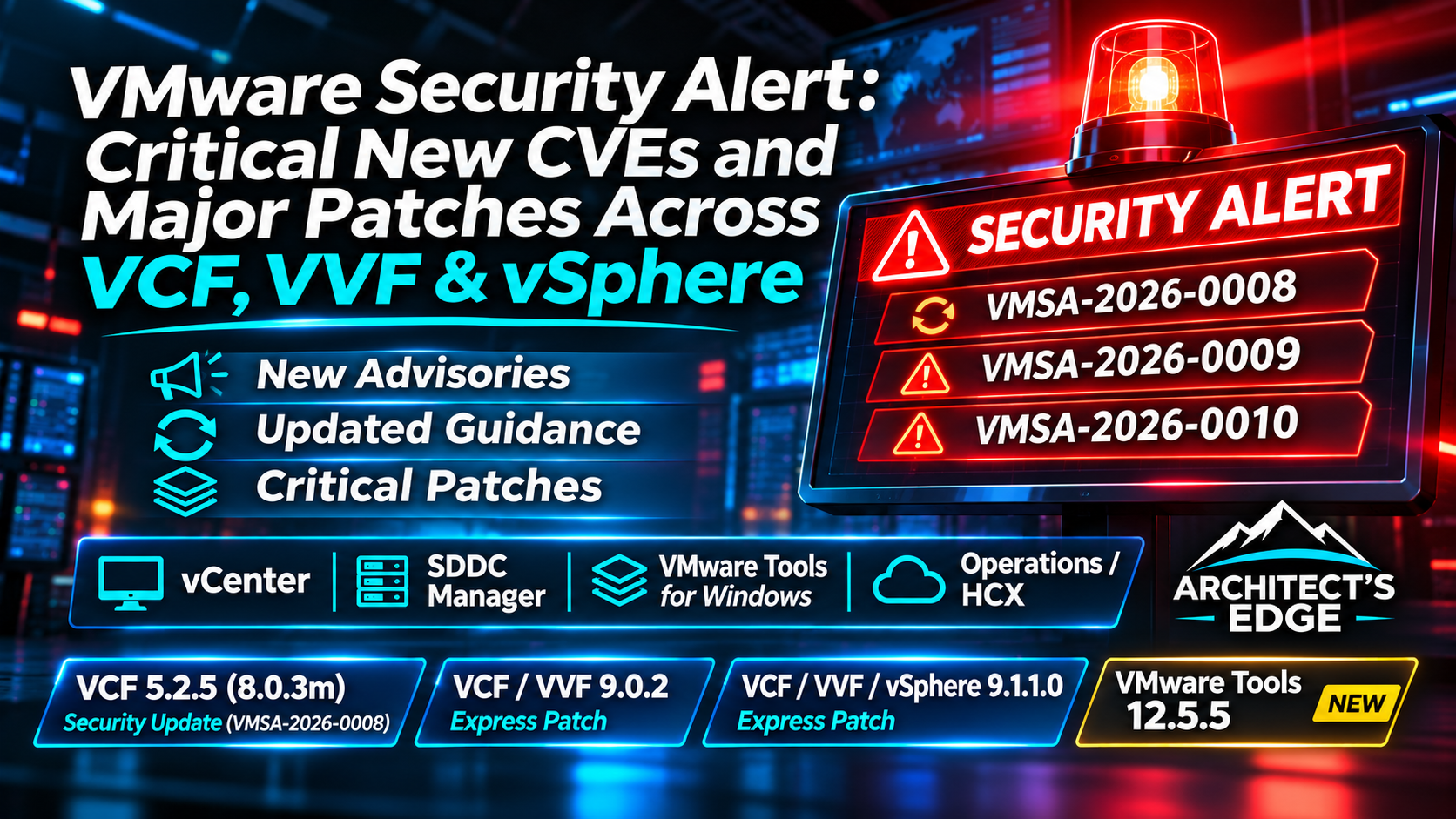
VMware Security Alert: Critical New CVEs and Major Patches Across VCF, VVF & vSphere
Updated November 19, 2026 — The Architect’s Edge | Product-by-product security action guide
At the beginning of the month we wrote that Cybersecurity Awareness Month was over, but exposure wasn’t. On November 19, the security-release calendar made the point for us: VMware Cloud Foundation 5.2.5, new 9.0.2 and 9.1.1 Express Patches, an updated SDDC Manager advisory and two additional VMware security advisories arrived together.
Here’s the operational headline: today’s work isn’t one patch or three CVE checkboxes. It’s a different action for each product owner. Your Windows guest team may have a fleet-wide VMware Tools update ahead; your vCenter team has a critical management-plane fix; your SDDC Manager team may have both a new fixed release and an unresolved separate workaround; and your Operations/HCX team has HTTP/2 mitigation to consider.
Rather than repeat the advisories in numerical order, this guide begins with the products you run, the exposure they create, and what you can actually do today. The advisory numbers and authoritative links appear alongside the applicable actions and in the references at the end.
Patch / mitigation status: The controls are not interchangeable: vCenter and Windows VMware Tools have new fixed builds, VCF 5.2.5 now resolves the 5.x SDDC Manager Brotli issue, SDDC Manager 9.x still needs the appropriate script workaround, and affected Operations/HCX appliances need the HTTP/2 workaround. Escalate the owner of each product immediately and only close when its own evidence supports remediation.
November 19 threat-intelligence update — active exploitation confirmed: Google Threat Intelligence Group and Mandiant report forensic evidence that ARMORY CASTLE (formerly UNC5221) exploited CVE-2026-123890 in vCenter as a zero-day in early September 2026. This is more than a theoretical authentication bypass: the observed attack resulted in SSO administrator access and theft of sensitive identity material. Patch affected vCenter systems urgently; investigate signs of earlier compromise where warranted, because patching does not remove an attacker’s established access. The documented intrusion involved vCenter 7.x/8.x; this report alone does not establish exploitation of every affected release.
Continuing coverage: This article reflects the published security guidance verified on November 19, 2026. The Architect’s Edge is checking the three live advisories, official Broadcom knowledge base workarounds, release notes and product-version matrices repeatedly over the coming week. Material changes to the affected-product scope, available fixes, required scripts or upgrade compatibility will be reflected in dated updates. Follow each linked official advisory for its current status before making production changes.
First: what each product owner needs to do
| Product / owner | Why today’s release matters | Action today | Disposition |
|---|---|---|---|
| VMware Tools for Windows Windows / EUC / app / platform teams | Potentially broad guest-VM inventory; in-guest privilege elevation with specific guest-alias prerequisites | Find Windows VMs, identify affected Tools installations, update to a fixed Tools branch | Guest update required; not part of a vCenter patch |
| vCenter vSphere / VCF / VVF team | Network-accessible authentication bypass | Patch to 8.0 U3m, 9.0.2.0200 or 9.1.1.0200 as appropriate; check upgrade sequencing | Fixed builds available; no official workaround |
| SDDC Manager VCF lifecycle team | Earlier Brotli RCE plus separate injection / privilege issues | VCF 5.2.5 for 5.x; keep applicable interim workaround for 9.x pending the specific fix | Different statuses by vulnerability and branch |
| VCF / Aria Operations and HCX Management-services / mobility teams | Apache HTTP/2 remote-code-execution issue on affected appliances | Check affected versions and follow official HTTP/2 mitigation | Published workaround; don’t infer a vCenter update fixes it |
| ESX / ESXi Hypervisor team | Not directly affected by the new vCenter / SDDC Manager / Tools advisory | Check host compatibility, but do not confuse guest Tools remediation with a host patch | No host-specific fix required solely for that advisory |
VMware Tools for Windows: this is the one that scales across your entire VM estate
If you didn’t realize today may require touching nearly every Windows VM with an affected VMware Tools installation, this is the call to action. Most VMware security announcements keep infrastructure teams occupied with appliances. This one also creates a potential application, endpoint-management, virtual-desktop and Windows-server patch campaign across many guest operating systems. Updating vCenter, VCF or the ESX host does not mean the installed VMware Tools in each Windows guest has been updated.
The issue is CVE-2026-123894 (VMSA-2026-0009), involving a SAML token signature bypass in VMware Tools for Windows. The disclosed exploitation path involves an attacker who already has access to a local privileged process inside a Windows VM that has guest alias mapping configured; the resulting elevation stays inside that guest. This is not a VM escape and does not establish a remote compromise path to an ESX host. Still, those prerequisites are not grounds to skip an inventory: the configuration can change, and Broadcom lists no supported workaround in place of an update.
Windows VMware Tools: affected versions, fixed builds and actual release dates
Release date is not the same as advisory date. VMSA-2026-0009 was disclosed on November 19, 2026, but the first fixed 13.x VMware Tools build had already shipped in September, followed by a newer 13.x release in October. By contrast, VMware Tools 12.5.5 was released today, November 19. Broadcom’s official VMware Tools versions/builds KB 304809 supplies the exact dates and build identifiers below.
| Windows VMware Tools / scope | Version and status for CVE-2026-123894 | Release date | Build / significance |
|---|---|---|---|
| 13.x before 13.1.5.0 | 13.1.5.0 — first fixed 13.x version | September 3, 2026 | Build 25544008; already available before the November disclosure |
| 13.x | 13.1.6.0 — newer fixed 13.x version | October 30, 2026 | Build 25833820; contains the security fix already present in 13.1.5.0 |
| 12.3.x affected branch; see FAQ for older 11.x/12.x Windows installations | 12.5.5 — fixed 12.x target, released today | November 19, 2026 | Build 25704436; official 12.5.5 release notes |
| 32-bit Windows VMware Tools | 12.4.10 — included with 12.5.5 | November 19, 2026 (12.5.5 package) | Broadcom explicitly calls out the 32-bit component as remediated in the advisory |
What should admins deploy? If your Windows VM already runs VMware Tools 13.1.6.0 or 13.1.5.0, the published 13.x minimum fixed version for this CVE is met; you do not need to downgrade or install 12.5.5 because it was published later. If it runs an older vulnerable 13.x build, update to at least 13.1.5.0 (preferably the supported latest 13.x build). If your environment runs affected 12.3.x or older Windows VMware Tools covered by the Broadcom FAQ, evaluate the compatible 12.5.5 upgrade path and confirm the resulting guest version. The advisory’s 32-bit note refers to 12.4.10 inside the 12.5.5 package, not a blanket instruction to install a different product family. Validate OS compatibility and your organization’s supported Windows baseline.
Why the November 19 release matters: Today is the publication date for both the disclosure and VMware Tools 12.5.5, but the newer 13.1.6.0 shipped on October 30. The security condition is whether a Windows guest is on the correct fixed minimum for its supported Tools branch, not whether that binary was released on advisory day. This distinction lets Windows teams prioritize the vulnerable population rather than unnecessarily reinstall already-fixed Tools across the fleet.
Don’t overlook templates, golden images and powered-off VMs. A single patched Windows VM does not repair the template it was cloned from. Record the number and version of Windows guests and templates that still require attention, assign guest ownership, schedule reboot-sensitive services, confirm installation and recheck the exact Windows VMware Tools version after every wave. If the release is not yet visible in a particular product download view, use the official Tools downloads page rather than improvising a package source.
A realistic Windows VM remediation plan
- Enumerate every Windows VM across production, DR, remote sites and development environments. Include Windows VDI pools and powered-off machines in the total inventory; powered-off machines may need a separate maintenance opportunity.
- Record the guest’s actual VMware Tools version and status. Do not use host or vCenter version as a proxy. In the vSphere Client the VM Summary shows the Tools state; use automation for a large estate, and validate exact installed versions where the tooling returns build numbers rather than a release string.
- Identify where guest alias mappings exist for additional risk context. In an appropriately privileged Windows guest run
VGAuthCLI.exe list. The official FAQ describes aGuestAliasManagerAPI option for inventory at scale, but it requires running Tools, guest credentials and appropriate privileges, and can fail when guest operations are disabled. - Package a guest-level upgrade campaign. Use your supported VMware Tools upgrade mechanism or endpoint-management system, with Windows guest owner coordination, compatibility checks and planned reboot handling as needed. Do not assume the installation is entirely non-disruptive.
- Re-inventory and prove completion. Recheck the installed Tools version per VM, capture exceptions (powered off, unsupported Windows, restricted maintenance or installation failure), and keep those VMs open as follow-up work.
A quick read-only inventory starting point from the Broadcom FAQ after connecting with PowerCLI:
Get-VM | Where-Object { $_.Guest.OSFullName -like "*Windows*" } | Select-Object Name,@{N="ToolsVersion";E={$_.Guest.ToolsVersion}}This identifies running or previously reported guest Tools version data, but the displayed ToolsVersion may be a numeric build identifier rather than a human-readable 12.5.5 or 13.1.5.0 string. Reconcile to the actual Tools release before checking it off as fixed; collect powered-off or Tools-unavailable VMs as explicit exceptions instead of silently skipping them.
Three things not to do: don’t remove or stop VMware Tools as a substitute for patching; don’t assume disabling vSphere guest operations removes the in-guest exposure; and don’t schedule a virtual hardware upgrade solely for this CVE. The FAQ explicitly says none of those is necessary or an accepted workaround. Also consider the new 13.1.5+ Capsule PK driver capability described in that FAQ, which can assist with future Windows Secure Boot platform-key maintenance for applicable vTPM VMs.
vCenter: a management-plane authentication bypass, with patches available now
The most urgent management-plane exposure in today’s disclosures is a VMware Directory Service authentication bypass in vCenter, CVE-2026-123890. Broadcom says an attacker with network access to vCenter may be able to bypass authentication and gain unauthorized access. This is rated CVSS 9.8 and the advisory lists no workaround. Management-plane isolation remains valuable defense in depth, but it does not replace the patch. Broadcom’s FAQ calls this an emergency-change scenario.
Confirmed zero-day exploitation: patching alone may not complete remediation
Related exploitation deep dive: Our AI-Era vCenter Zero-Day: affected versions, exploit sequence, SSO/STS trust and recovery guidance examines the documented intrusion, legacy 6.x/7.x exposure, the evidence to hunt, and how Operations for Networks/IPFIX and centralized logs can help. Return to this November 19 release guide for product-level fixed builds, KB workarounds and upgrade requirements.
In their November 19 ARMORY CASTLE report, Google Threat Intelligence Group and Mandiant document exploitation of CVE-2026-123890 in early September 2026 against vCenter as part of a post-compromise campaign. The actor first compromised BeyondTrust Remote Support and moved through an internal Linux appliance before targeting vCenter. Their BONESAW tooling exploited the vCenter Directory Service DCE/RPC interface (including TCP 2012) to create unauthorized SSO administrator access and obtain vmdir database and Security Token Service (STS) signing material. Another utility, SAWSNAKE, could use that material to forge SAML sessions and bypass MFA. The investigation also documents subsequent movement into ESXi and VMFS, credential access, and data theft. Mandiant observed exploitation involving vCenter 7.x/8.x; the report is not proof that every affected release was observed exploited, and this is not an exploitation report for the separate VMware Tools Windows CVE.
What operators and incident responders should do: prioritize the official vCenter fixed build and also check whether any vulnerable instance had exposure to untrusted or compromised internal hosts before patching. Preserve relevant logs and investigate unexpected SSO administrator or machine accounts, unusual VAMI SSH enable/disable events, traffic and scans involving TCP 2012 and management interfaces, changes to ESXi root SSH authorized keys, suspicious VMFS access, and possible export of vmdir or STS material. Forensic indicators and detection guidance are provided in the original GTIG/Mandiant report; absence of a known indicator alone cannot prove safety.
If compromise is suspected or confirmed: engage the security incident-response team and Broadcom Support, preserve evidence, and assess unauthorized SSO accounts, active sessions, STS signing-key exposure, vCenter credentials, ESXi access and downstream guest or directory-data compromise. Where warranted, perform incident-controlled identity-material rotation and recovery; simply patching vCenter or changing the SSO administrator password does not necessarily invalidate stolen signing keys, forged tokens or attacker persistence. Treat network ACL restrictions as additional defense in depth, not as the official workaround for this vulnerability.
| Installed vCenter / platform | Published fixed target |
|---|---|
| vCenter 8.0 / standalone vSphere 8 | 8.0 Update 3m (release notes) |
| vCenter included with VCF 5.x | VCF 5.2.5 solution baseline; use the supported asynchronous vCenter patch process where appropriate |
| VCF / VVF 9.0.x | vCenter 9.0.2.0200 |
| VCF / VVF 9.1.x | vCenter 9.1.1.0200 |
| vCenter 7.0 with active extended support | Contact Broadcom Support for the supported patch route |
For a vCenter estate, create one change entry per vCenter instance and confirm the installed build in its Summary tab or through PowerCLI. No, being outside Enhanced Linked Mode does not make the issue irrelevant. No, this vCenter patch is not eligible for vCenter Quick Patch, even though the broader product family uses the Express Patch delivery model. Use the supported conventional update methods and review the product release notes.
Expect temporary loss of vCenter management access during maintenance, not a shutdown of running virtual machines. Check management integrations and any KMS-dependent encryption/key-rotation activities, as these can be temporarily unavailable while vCenter is offline. Verify the actual resulting vCenter build before closing the ticket. Broadcom provides these operational details in its FAQ.
SDDC Manager: one newly fixed branch, and a separate unresolved 9.x vulnerability
SDDC Manager is where today’s patch announcements are most likely to create a false sense of closure. There are two separate security stories affecting the same management appliance: the earlier Node.js Brotli decoder vulnerability (CVE-2026-111497) and additional authenticated injection / privilege-escalation issues (CVE-2026-123891, 123892, 123893). A fixed version for one set does not automatically establish a fix for the other when an official advisory’s component matrix still says patch pending.
| SDDC Manager branch | New SQL / command / elevation issues | Earlier Brotli RCE |
|---|---|---|
| VCF 5.2.x | VCF 5.2.5 | VCF 5.2.5 fixes it (new November 19 change) |
| VCF 9.0.x | Fixed in 9.0.2.0100 for the newer SDDC Manager disclosures | Patch pending; apply KB 460734 |
| VCF 9.1.0 | SQL and command injection already addressed in 9.1.0.0; later releases cumulative | Patch pending; apply KB 460734 |
| VCF 9.1.1 | Local elevation first addressed in 9.1.1.0; 9.1.1.0200 is the latest listed cumulative release | Patch pending; apply KB 460732 |
For VCF 5.2.x, November 19 is a substantive breakthrough: the updated Brotli advisory revision 0008.2 now identifies VCF 5.2.5 as the fixed version. For VCF 9.x, that same advisory still marks the Brotli fix as pending. The relevant interim procedure remains branch-specific: KB 460732 for 9.1.1.x or KB 460734 for 9.0.2 / 9.1.0.
Both KBs describe prechecks, applying the attached Broadcom script, and verification. Before changes, take the recommended appliance backup or snapshot, verify no SDDC Manager lifecycle, workload-domain or certificate workflow is underway, and use the script corresponding to the installed branch. The version-specific check and apply instructions are in the vendor KBs; do not interchange the scripts.
One source discrepancy is worth calling out: the new 0009 FAQ uses broad wording about cumulative fixes and previous advisories, but the specific 0008.2 response matrix still says Patch pending for SDDC Manager 9.x. Until Broadcom updates that matrix or directly clarifies it, retain and verify the official Brotli workaround rather than assuming a new Express Patch removes this exposure.
Our detailed background and mitigation timeline remains in the published SDDC Manager 0008 guide; this November 19 roundup focuses on today’s product decisions.
Apply the SDDC Manager workaround that actually matches your build
Do not download a random script from a blog. The original Broadcom KB attachments are the source of the supported remediation tools. For SDDC Manager 9.1.1 and 9.1.1 Express Patch, use KB 460732 and its attached CVE-2026-111497_VCF911x_remediation.sh. For 9.0.2 and 9.1.0, use KB 460734 and CVE-2026-111497_pre911_remediation.sh. The older KB also documents 5.2.x, but because 5.2.5 is now named as fixed, prefer the supported 5.2.5 upgrade for eligible systems rather than treating its workaround as a permanent substitute.
| Version-specific KB | What the mitigation actually does | What to verify |
|---|---|---|
| KB 460732: 9.1.1.x | Blocks Brotli-encoded request bodies at nginx/HTTPS 443 and within the SDDC Manager UI service on localhost 7500, so the direct path cannot bypass the reverse proxy | Both Brotli test paths must return HTTP 415; regular JSON requests must not be rejected as Brotli; verify nginx and UI function |
| KB 460734: 9.0.2 / 9.1.0 | Uses a Node.js preload file /etc/cve-111497/nobrotli.cjs and a service NODE_OPTIONS setting to prevent the Brotli decoder path | Confirm service is healthy and NODE_OPTIONS=--require=/etc/cve-111497/nobrotli.cjs is present; review the journal and open Inventory/Domains |
SDDC Manager script workflow: check, apply, verify, retain rollback
- Prerequisites: Back up/snapshot SDDC Manager, confirm no active upgrade, workload-domain or certificate tasks, and log in as
vcfthen elevate to root. Download the matching script from the KB attachment, copy it onto that appliance, and remove Windows CRLF line endings if relevant. - Read-only preflight: Run
bash CVE-2026-111497_VCF911x_remediation.sh checkon 9.1.1.x, orbash CVE-2026-111497_pre911_remediation.sh checkon 9.0.2 / 9.1.0. This checks applicability and current status without changing the appliance. Do not proceed if the preflight reports a version or health mismatch. - Apply within the approved maintenance window: Run the matching script with
applyinstead ofcheck. The 9.1.1 script edits and validates both HTTP entry points, reloads nginx and restarts the UI. The pre-9.1.1 script adds the preload/service environment protection and restarts the UI; it can undo partial changes after failure as documented in the KB. - Verify and record evidence: Run the matching script’s
checkagain and follow its KB’s verification steps. For 9.1.1, test bothhttps://127.0.0.1/ui/api/pingand the directhttp://127.0.0.1:7500/ui/api/pingwithContent-Encoding: br: both must reject with415. For 9.0.2 / 9.1.0, confirm the NODE_OPTIONS preload is in the service environment and that normal SDDC Manager UI pages still work. Save output and service-health results to the change record. - Rollback is version-specific: If validation or service health fails, follow
rollbackin the same KB and same script path used for application, or follow the KB’s manual rollback if that was your original method. Do not mix the automated and manual methods. Escalate failures with the logs and appliance backup details. - Recheck after upgrades: Both KBs explicitly warn that an upgrade carrying an unfixed Node.js runtime removes the workaround. Run the matching
checkafter such an upgrade and reapply when needed. The workaround remains a tracked open mitigation until the advisory explicitly marks the particular build fixed.
Where are the logs and backups? For the 9.1.1 script, the KB documents /var/log/vmware/vcf/cve-2026-111497-inbound.log and timestamped backups under /var/backups/cve-2026-111497/. For the pre-9.1.1 script, it documents /var/log/vmware/vcf/cve-2026-111497-outbound.log and backups under /var/backups/cve-2026-111497-outbound/. Retain these records if you need Global Support.
VCF Operations / VMware Aria Operations and HCX: HTTP/2 needs its own remediation
Today’s new Apache HTTP Server mod_http2 heap-corruption disclosure (CVE-2026-119618) concerns affected VMware Aria Operations, VCF Operations and VCF Operations HCX appliances, as described in VMSA-2026-0010. With network reachability to an affected service, Broadcom describes remote-code-execution potential. This is an Operations/HCX owner task — not something that gets resolved merely by updating vCenter or VMware Tools.
The public response is mitigation: review the exact product/version scope in the advisory and use KB 463005 for the supported HTTP/2 mitigation. Inventory standalone as well as VCF-managed Aria/Operations and HCX endpoints, consider their management-network reachability, follow appliance-specific prerequisites, then verify the HTTP/2 restriction with the method documented by Broadcom. Avoid applying a generic Apache configuration edit or assuming that every VMware product with an embedded web server is affected.
Maintain a specific follow-up entry for a fixed product release once the advisory identifies one. Similarly, VCF Automation is not automatically included merely because some components are grouped together under an Aria/Operations product umbrella; use the named advisory products and affected-version matrix to determine scope.
Operations/HCX workaround: change the vulnerable protocol, then validate
Why the script matters: The disclosed weakness is in Apache mod_http2, so the interim protection is to disable HTTP/2 on the affected appliance service while retaining appropriate HTTP/1.1 connectivity. This is a change to the service’s protocol exposure, not a vCenter patch, VMware Tools update, or an ESX host update. It may affect clients that rely specifically on HTTP/2, so assess interoperability and schedule verification with the product owner.
- Confirm appliance scope: Inventory each VCF Operations / Aria Operations node and HCX endpoint and consult the exact affected-version rows of VMSA-2026-0010. Do not assume the same workaround applies to every VMware appliance exposing port 443.
- Obtain the vendor procedure: Open Broadcom KB 463005, download the specified attachment/script for your product and version if provided, and follow its backup, node-order and service-restart steps. Do not substitute a generic
httpd.confedit or an older workaround from an unrelated Apache CVE. - Verify the outcome: Check that the affected service no longer negotiates HTTP/2 where the KB expects it disabled, while the management UI/API and normal HTTP/1.1 clients remain functional. Record all nodes’ status and any required service restarts in the change ticket.
- Keep remediation open: A script workaround is not a fixed release. Review the updated response matrix and retest after upgrades, configuration regeneration or node replacement.
Technical verification note: The currently available public advisory identifies the official mitigation path, but the full text and executable attachment of KB 463005 could not be independently retrieved during this review. Consequently, this guide deliberately links to the vendor’s procedure rather than inventing a script filename, command sequence or version-specific result.
ESX / ESXi: don’t confuse host patching with fixing guest VMware Tools
Broadcom’s November 19 FAQ explicitly says ESX is not affected by VMSA-2026-0009. That advisory’s VMware Tools issue lives inside Windows guests, and the vCenter vulnerability lives on vCenter. Updating ESX or ESXi alone does not make either issue go away. Your host team should still check interoperability before vCenter maintenance and keep the existing hypervisor patch baseline current for other applicable advisories, but do not invent a new ESX-specific remediation requirement for this one.
Likewise, the FAQ says NSX and Workstation/Fusion themselves are not affected by this particular advisory; however, Windows virtual machines with VMware Tools installed, including those prepared for migration, should still be checked. This is advisory-specific applicability, not a blanket claim that those products have no other security updates.
Which VCF, VVF and vSphere family are you actually running?
- VCF 5.2.x / vSphere 8: The newly released VCF 5.2.5 addresses the 0008 SDDC Manager Brotli issue and is the listed 5.x solution target in 0009. For its vCenter component the fixed release is 8.0 U3m; use the supported VCF asynchronous patching, KB 88287 (article 344935), not an unsupported standalone appliance shortcut. Include Windows guest Tools and separately deployed Operations/HCX in scope.
- VCF / VVF 9.0.2: Move affected vCenters to 9.0.2.0200 using the supported Express Patch route. For SDDC Manager, distinguish the already addressed 0009 issues at 9.0.2.0100 from the 0008 Brotli issue still requiring KB 460734. Include guest Tools and applicable management-service mitigations.
- VCF / VVF / vSphere 9.1.1: Apply the supported 9.1.1.0200 vCenter security release. VCF SDDC Manager 9.1.1 still requires the 0008 interim workaround where applicable. A 9.1.1 Express Patch does not equal eligibility for vCenter Quick Patch, and it does not automatically patch Windows guests.
- Telco stacks: The vCenter advisory also lists VMware Telco Cloud Platform and Telco Cloud Infrastructure, with KB 463116 for the published product-specific response. Operators should use the Telco component matrix rather than assume the standard VCF installer path applies.
- Older or integrated platforms: For vCenter 7 with an extended-support entitlement, contact Broadcom Support. If your environment is VxRail or another engineered solution with qualification requirements, consult that vendor’s supported update path before changing managed infrastructure.
The upgrade-path trap: security patches can change your next major upgrade
One important operational qualification from the newly published FAQ: updating vCenter to 8.0 U3m or 9.0.2.0200 creates a back-in-time upgrade restriction for a move to VCF 9.1.1. This does not make the current security fixes optional. It means security and infrastructure teams need to choose a compatible patch-and-upgrade sequence, not discover an unsupported transition in the middle of maintenance. See the version compatibility KB 67077 and the official product interoperability matrix before committing changes.
Publishing note: Critical advisories were released alongside the November 19 patches. “Patch available” applies only to the specific fixed product/version rows; it does not imply SDDC Manager 9.x Brotli or Operations/HCX HTTP/2 are fully resolved.
Close the right change tickets, not just the right advisory numbers
- Windows guest owner: inventory every Windows VM with VMware Tools, capture installed Tools versions, update affected supported releases, identify powered-off / unsupported / failed cases and verify the exact per-guest result.
- vCenter owner: identify every vCenter instance, record the starting build, stage the version-specific fix, perform compatibility checks and confirm the installed 8.0 U3m, 9.0.2.0200 or 9.1.1.0200 target.
- VCF lifecycle owner: update eligible 5.x SDDC Managers to 5.2.5; keep the 9.x Brotli workaround applied and verified until the authoritative response matrix identifies a fixed release.
- Operations/HCX owner: check affected appliances against the Apache HTTP/2 advisory and verify the official mitigation, with exceptions and follow-up tracked.
- Change manager / security owner: capture configuration, version and verification evidence for each product separately, confirm upgrade compatibility, and recheck the vendor advisories for revised dispositions before closing the incident.
This is the real difference between installing a patch and knowing your environment is protected. A green checkbox in the vCenter patch dashboard cannot certify every Windows guest, SDDC Manager appliance or Operations endpoint.
Official sources, release documentation and earlier coverage
Threat intelligence added November 19: Google Threat Intelligence Group / Mandiant: ARMORY CASTLE Exploits vSphere, including forensic evidence of early September zero-day exploitation, attack progression, IoCs, YARA detections and defensive recommendations.
- VMSA-2026-0009: vCenter, SDDC Manager and VMware Tools, plus Bob Plankers / Broadcom product FAQ
- VMSA-2026-0008.2: SDDC Manager Brotli update, November 19
- VMSA-2026-0010: Apache HTTP/2 / Operations / HCX and KB 463005 mitigation guidance
- SDDC Manager 9.1.1 Brotli workaround: KB 460732 and SDDC Manager 5.2.x / 9.0.x / 9.1.0 workaround: KB 460734
- VMware Tools 13.1.5 release notes; VMware Tools 12.5.5 release notes; VMware Tools downloads
- vCenter 8.0 U3m release notes; VCF asynchronous patching, KB 88287 (article 344935); back-in-time restriction KB 67077
- Our earlier detailed SDDC Manager advisory coverage and our Cybersecurity Awareness Month follow-up
The Architect’s Edge takeaway: Today’s VMware releases are a product-level operations event, not a CVE reading exercise. Patch the control plane, mobilize the Windows guest owners, distinguish SDDC Manager fixes from still-pending workarounds, and treat Operations/HCX mitigation as its own change. Then prove each result.
Discover more from PKGuild
Subscribe to get the latest posts sent to your email.