AI-Era vCenter Zero-Day: Which Versions Are at Risk—and Why Patching Isn’t Enough
The Architect’s Edge | Incident analysis and actionable recovery guidance | November 19, 2026
A critical VMware vCenter authentication-bypass vulnerability has been linked to real-world exploitation before its public disclosure. For operators, that raises three practical questions: Which versions remain exposed? What fixed builds or upgrade paths are available? What if an attacker established access before the patch was installed?
On November 19, Broadcom published VMSA-2026-0009 for CVE-2026-123890, rated CVSS 9.8. That same day, Google Threat Intelligence Group and Mandiant reported forensic evidence that the vulnerability had been exploited as a zero-day in early September. The investigation documents unauthorized vCenter Single Sign-On (SSO) access, exposure of Security Token Service (STS) trust material and movement toward ESXi hosts and virtual machine storage.
This is not about assigning blame to a customer, administrator or engineering team. Complex virtualization estates contain multiple product versions, management dependencies and older systems that cannot always be upgraded immediately. The useful response is to establish which systems are vulnerable, select the supported remediation, preserve evidence and determine whether exposure became compromise.
The attacker’s assigned name matters less than the decisions facing organizations now. We’ll examine the intrusion, what AI-era exploit acceleration could mean without inventing evidence of its use here, which vCenter versions require attention—including unsupported releases—and how to use network flows, logs and incident-response evidence. Our companion November 19 VMware security guide provides the broader VCF/VVF/vSphere patch matrix and separate product workarounds.
Which vCenter versions are vulnerable? Start with your own inventory
The official Broadcom FAQ is unusually explicit: customers should presume that older unsupported vSphere 6.5/6.7 releases are affected, while vSphere 7.0 is confirmed affected. This is different from the list of versions with generally available fixes. No public patch listed does not mean a release is safe. And observing an exploit against one version does not mean the investigators tested or witnessed attacks against every family.
| Version family | Affectedness and fixed-version guidance | Administrator action |
|---|---|---|
| vSphere 6.5 / 6.7 | Presume affected; beyond normal security-advisory evaluation. | Plan supported upgrade/migration and protective network controls; do not treat absent patch listings as evidence of immunity. |
| vSphere 7.0 | Confirmed affected; past End of General Support. | Request an eligible patch through Broadcom Support if covered by extended support; otherwise upgrade to a supported release. |
| vCenter 8.0 / vSphere 8 | Fixed in 8.0 Update 3m. | Install 8.0 U3m using the supported release process. |
| VCF 5.x vCenter | Fixed solution baseline VCF 5.2.5. | Follow supported VCF lifecycle and asynchronous vCenter patching (KB 88287) where appropriate. |
| VCF / VVF 9.0.x | vCenter fixed in 9.0.2.0200. | Install the supported 9.0.2 vCenter security update. |
| VCF / VVF 9.1.x | vCenter fixed in 9.1.1.0200. | Install the supported 9.1.1 vCenter security update. |
| Telco Cloud Platform / Infrastructure | Version-specific vCenter coverage. | Follow KB 463116 and the Telco product response matrix. |
Check builds before making a remediation claim
The installed vCenter version and build appear in the vSphere Client Summary tab. A read-only PowerCLI check after connecting to the intended vCenter with Connect-VIServer uses $global:DefaultVIServer.Version and $global:DefaultVIServer.Build, as described in the FAQ. Inventory management and workload domains, recovery sites and standalone systems. Record unreachable or otherwise unassessed vCenters as exceptions, not automatically compliant.
This CVE targets vCenter Directory Service, not ESXi hypervisor code, even though attackers who gain vCenter control may pivot toward ESXi and VMs. Broadcom lists no official workaround for CVE-2026-123890. Management VLAN isolation and firewalls reduce reachability, but they are compensating controls, not an advisory-approved fix.
What to do now: patch, investigate, verify and recover
- Prioritize the installed vCenter versions. Determine whether a supported fixed build is available and check the required VCF/VVF update sequence and maintenance impact.
- Patch or migrate through the supported path. The FAQ explains that these vCenter updates are not compatible with vCenter Quick Patch and flags an upgrade sequencing restriction for certain 9.1.1 transitions.
- Preserve evidence before disruptive changes. Secure existing vCenter, SSO, VAMI and ESXi logs, available firewall histories, network flows and SIEM records. Where available, investigate activity back to September.
- Hunt for identity and host-trust compromise. Examine unexpected SSO administrators, changes to global privileges, STS signing material exposure, VAMI SSH toggles, ESXi keys and possible vmdir/VMFS access.
- Escalate suspected compromise. Coordinate incident response and Broadcom Support before unplanned signing-key rotation or irreversible remediation. A newly patched vCenter does not automatically invalidate stolen identity material or pre-existing persistence.
For all other November 19 vulnerabilities, including separate SDDC Manager and Windows VMware Tools issues, use the product-by-product patch and workaround guide; do not assume exploitation of those CVEs from this vCenter incident report.
Could AI have accelerated exploitation? The distinction between risk and proof
The possibility deserves attention. Google’s November 2026 AI Threat Tracker documents attackers using AI-driven frameworks to accelerate vulnerability analysis, proof-of-concept development and multi-stage operations. Other GTIG research has identified AI-assisted zero-day development, while its vulnerability-trends analysis describes faster weaponization of known vulnerabilities. AI is increasingly relevant to how quickly defenders may need to move.
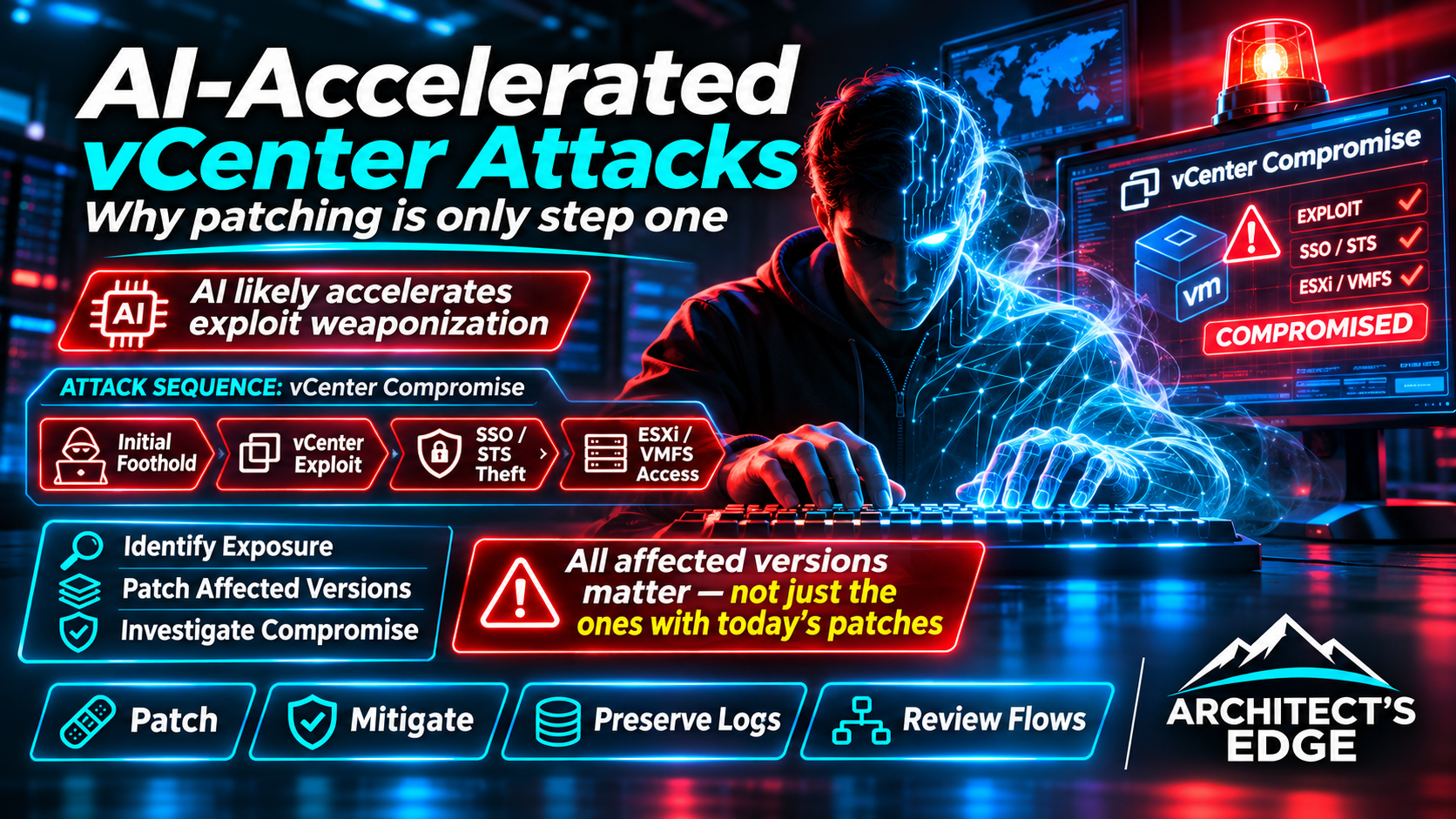
For this specific intrusion, however, no public forensic evidence establishes AI use in BONESAW’s creation or execution. The recovered malware and early-September exploitation predate the November 19 disclosure; this was not simply an exploit written in response to the publicly released patch. The appropriate conclusion is that AI can compress offensive timelines generally, not that investigators confirmed it caused this incident. The featured AI/human illustration represents that broader threat environment, not an assertion of attacker tool attribution.
What the investigation established—and what it did not
The core disclosed sequence matters: ARMORY CASTLE first exploited an independent BeyondTrust Remote Support issue (CVE-2026-102764) in the broader campaign, moved into an internal Linux appliance, and later used a Go-based utility named BONESAW against the vCenter Directory Service. Mandiant attributes observed use of the vCenter zero-day to early September 2026. The investigation documents access to an administrative SSO identity, extraction of directory data, and movement into the vSphere management environment. See the earlier BeyondTrust campaign analysis and the November 19 vSphere follow-up.
The researchers describe vCenter Server 7.x and 8.x exploitation in the investigated activity. That evidence should not be described as proof that every version listed in the broader VMSA-2026-0009 fixed-version matrix was observed being attacked. Nor does the activity demonstrate exploitation of the separate Windows VMware Tools CVE-2026-123894. Those are different issues disclosed in the same advisory.
The chain: from an internal appliance to vCenter, SSO, and ESXi
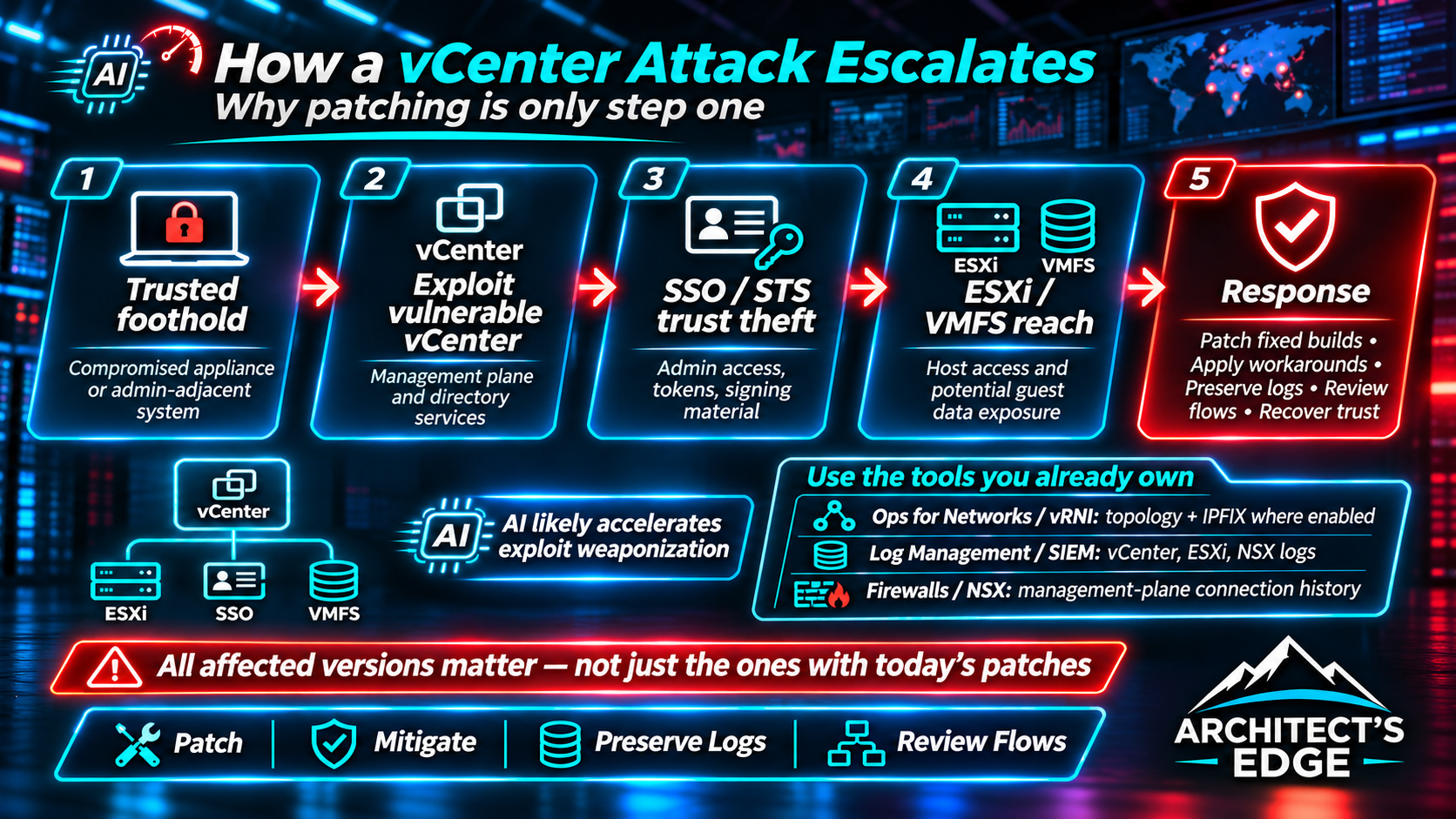
| Observed stage | Why it mattered to the attacker | What a defender should investigate |
|---|---|---|
| Remote-support appliance and internal Linux pivot | An already-compromised trusted network position made management services reachable | Remote-support audit and transfer events, unusual Linux service processes, connections from non-administrative appliances to vCenter |
| vCenter reconnaissance and zero-day access | Management interfaces, including Directory Service RPC over TCP 2012, became targets | Port-scanning records, management-plane network flows, unexpected source IPs reaching the vCenter RPC service |
| SSO and STS identity material | Administrative sessions, unauthorized identities, and potentially forged SAML authentication expanded trust abuse | New or modified SSO principals, global permissions, signing-key and directory database access, suspicious login/session patterns |
| vCenter OS and ESXi pivot | Temporary SSH enablement and credential access created paths toward hosts and VM storage | VAMI SSH toggles, vCenter shell activity, ESXi root/public-key changes, host-client and service-account access |
| VMFS/guest-data access | Management privileges can reach virtual disk contents and sensitive guest data without conventional application logins | Unexpected VMFS staging, VM disk access, sensitive Windows directory extraction and suspicious transfer destinations |
Why stolen SSO and STS trust can outlive a patch
BONESAW exploited the vCenter Directory Service authentication flaw. GTIG describes it as able to gain an administrative session and recover directory data. Its companion SAWSNAKE could process stolen SAML signing material and forge administrative assertions. An attacker who obtains that level of identity material may retain a meaningful path to privilege even after the original exploit route is blocked. This is why identifying suspicious accounts alone is not a complete assessment.
Three layers of trust need to be examined separately: account trust (who exists and who has permissions), token/signing trust (whether attacker-held STS material could authenticate), and host trust (whether vCenter, ESXi, appliance OS credentials or authorized SSH keys have been modified). These are operationally related but cannot be closed with a single password reset.
A nuance worth preserving: Mandiant reported BONESAW use against a vCenter that had already been patched for the different July issue CVE-2026-59309. That earlier patch did not remediate the separate November zero-day. Do not turn this into the misleading statement that the November 19 fix was already bypassed; there is no basis for that claim in the cited report. Read the distinction in the original technical analysis.
The overlooked implication: management access can become access to guest secrets
A VMware security incident is not necessarily confined to the vCenter appliance. The published forensic story includes movement through vCenter to ESXi and exploration of VMFS-backed guest data. For an enterprise architect, this changes the blast-radius assessment: a compromised control plane can expose virtual disk content, including data belonging to systems that did not themselves experience a conventional interactive login or application exploit.
Incident commanders should therefore consider not only which management systems were vulnerable but also which datastores, domain controllers, backup repositories, recovery sites, service accounts and management integrations could have been reached. The exact set depends on architecture and activity evidence. Reachability is not proof of theft; neither is a clean Windows endpoint report proof that an offline virtual disk was never accessed.
What to hunt first: evidence that will actually change a response decision
- Preserve evidence before disrupting the scene. Coordinate with the incident-response team on supported vCenter/ESXi log collection, central SIEM exports, relevant appliance backups, firewall/netflow history and time synchronization. Avoid broad appliance modifications or unsupervised resets that erase evidence or break recovery paths.
- Reconstruct management-plane access. Investigate unusual connections to vCenter from remote-support appliances, Linux systems, application servers or other hosts that should never administer vSphere. Review TCP
2012,443,5480,22and relevant authentication/network records. Port access is a triage signal, not by itself an IOC. - Audit SSO identity and authorization changes. Review unexpected SSO users and machine identities, administrator/group membership, role assignments, global permissions and authentication anomalies. In a shared SSO domain, assess the implications for every linked vCenter rather than treating a single appliance as the sole trust boundary.
- Review STS and directory material exposure. Ask whether the SSO database, STS signing key, vCenter master key or related credentials may have been read or exported. An administrator-password change does not necessarily invalidate stolen STS private material or existing forgeries; plan recovery and re-establishment of trust with Broadcom Support.
- Look for short-lived vCenter SSH access. The case includes an actor enabling SSH through VAMI, connecting, stealing secrets and disabling it again. Correlate VAMI API events and source IPs with host shell logs and independently forwarded telemetry; current SSH status alone cannot prove it was never used.
- Investigate ESXi and VMFS scope. Review host SSH/root access,
authorized_keyschanges,vpxuseractivity, unexpected datastore directories, staging archives and VM disk access. For sensitive directory-services VMs, assess possible offline exposure of identity databases and registry material. - Use multiple detections, not only malware hashes. GTIG published IoCs and YARA rules for BONESAW, SAWSNAKE, SLIMSAVAGE, CAGEMATCH, BEARBONES and LAZYBONES. Use those starting points but correlate account behavior, network paths and host-management actions; absence of a listed hash cannot establish the absence of compromise.
Optional evidence source: vRNI / VCF Operations for Networks
If you already run vRealize Network Insight (vRNI), subsequently named Aria Operations for Networks and now VCF Operations for Networks, it may help the investigation even without complete historical flow visibility. Its vCenter-derived inventory and network-configuration context can identify VMs, IP associations, ESXi hosts, distributed switches, port groups, NSX relationships and topology around suspected pivot systems. Use available historical views where retained to help bound possible reachability from a compromised remote-support appliance or Linux pivot to vCenter, ESXi, and sensitive guest workloads. This is exposure mapping, not proof that a connection occurred. VMware documents the product’s inventory/configuration and network-flow collection capabilities.
Where IPFIX was already enabled and the relevant traffic was monitored, search the retained flow data for unexpected source/destination pairs, management-port activity, unusual traffic volume or pivots involving the affected appliance, vCenter and monitored workloads. However, a vCenter data source by itself does not mean flow telemetry exists: vDS flow collection requires suitable IPFIX configuration and exporter/collector reachability; NSX-managed distributed port groups may require the separate NSX data source and IPFIX configuration. Broadcom documents these differences in KB 407622 and KB 435346. Management-plane flows outside monitored vDS/NSX datapaths, sampled or unsupported traffic, missing exporters and expired retention can all produce blind spots.
Do not treat a blank flow search as a clean result or turn on IPFIX after the fact expecting it to reconstruct September traffic. If incident response is underway, preserve existing telemetry and assess configuration changes with the response team. vRNI is also not a substitute for vCenter/VAMI/SSO audit logs, STS forensic evidence, SIEM data or host logs; use those to establish identities, administrative changes and evidence of actual compromise. For log-based evidence in current VCF, distinguish Operations for Networks from VCF Operations Log Management, which handles separate vCenter log collection.
The GTIG report contains the original IoCs, YARA patterns and Google SecOps rule names; it is preferable to import the primary maintained source rather than reproduce a static indicator dump in this article. A particularly visible signal is unexpected VAMI SSH enablement, which GTIG lists as a detection rule category.
Use the VMware telemetry you already own before an incident
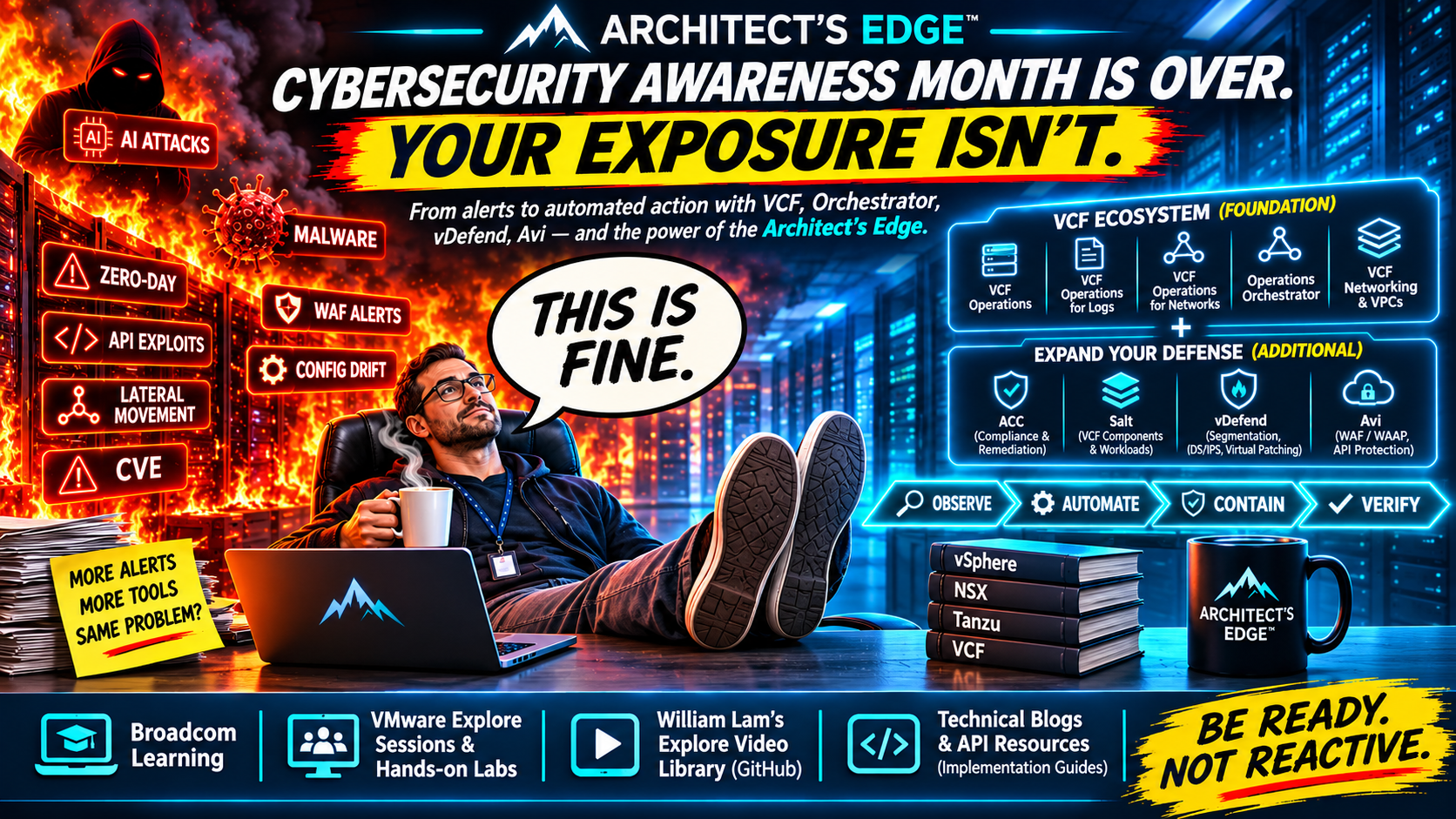
Don’t buy a new security product before checking whether the one you already own is actually collecting data. Many VMware environments already have vCenter tasks/events, vRealize Network Insight / VCF Operations for Networks, NSX network controls, VCF Operations Log Management (formerly Aria Operations for Logs / Log Insight), or an enterprise SIEM. Those are useful only if collection is configured, correctly scoped, centrally retained and periodically tested. This is not a promise that any one tool can detect BONESAW or prove stolen STS keys; it is a practical way to make the next investigation less dependent on incomplete evidence.
| Tool or evidence source | What it can contribute | Prove collection is working |
|---|---|---|
| VCF Operations for Networks / vRNI | VM inventory, IP/port-group/host relationships, topology and actual flows only when supported IPFIX collection was enabled | Check the vCenter and NSX data-source status, IPFIX enablement, selected monitored port groups and whether recent known test traffic produces flow records |
| NSX / DFW flow collection where deployed and entitled | Network policy, permitted/blocked activity and monitored distributed-firewall traffic | Check the relevant NSX data source, DFW IPFIX configuration, supported licensing and whether the desired traffic is actually represented |
| VCF Operations Log Management / Aria Operations for Logs | Centralized vCenter, ESXi, NSX and other configured component logs useful for authentication, administrative actions and service timelines | Search for recent events from each expected source, not merely a green collection switch or a configured target |
| ESXi remote syslog and persistent local logs | Host authentication, service and management-plane events that may survive loss or rebuilding of an individual appliance | Inspect Syslog.global.logHost, confirm persistent scratch/log location and demonstrate receipt of a test log event at the collector |
| Firewalls, network infrastructure and independent SIEM | Traffic visibility into management services outside the vDS/NSX flow-observation scope; cross-system correlation and longer historical retention | Verify permitted/denied connection logs, retention and searches for selected management destinations and source IPs |
Enable flow collection intentionally; don’t assume vCenter inventory includes IPFIX
For deployments using VCF Operations for Networks, review Settings > Accounts and Data Sources, edit the relevant vCenter source, and confirm the NetFlow (IPFIX) setting and supported vDS/port-group collection path. Broadcom KB 407622 explains that an integrated vCenter source can appear healthy while providing no flow metrics because NetFlow is disabled. For NSX-managed port groups, verify the NSX Manager source and the corresponding DFW/switch IPFIX configuration as described in KB 435346 and KB 400616; enabling vCenter IPFIX alone is not always sufficient. Review collector capacity, required privileges, network connectivity and any license restrictions before enabling broad collection.
Test it with authorized, representative traffic and confirm source/destination, port, timestamp and observed collector records. For this intrusion scenario, historically collected communications among a remote-support appliance, Linux pivot, vCenter, ESXi and monitored workloads could be useful. But vCenter’s management traffic over ports such as 443 or 2012 may not traverse an instrumented VM data path; use firewall, switch, packet or SIEM telemetry for those blind spots. No IPFIX product can recreate traffic from before collection started.
Forward logs centrally—and validate them after upgrades
For VCF Operations Log Management, enable collection through the supported product/version integration and make sure logs from vCenter, ESXi and relevant management components are actually present in Operate > Logs > Analyze Logs. Verify that new events appear with a current timestamp, expected hostname and synchronized time; include SSO authentication changes, VAMI/service activity and relevant ESXi events in the investigation workflow. Broadcom KB 461300 explains that on vCenter 9.1, the integrated Log Insight Agent can forward logs without VAMI displaying a traditional syslog destination. A blank VAMI syslog field does not establish that logging is off—nor does a configured integration establish that the collector has received current events.
Very important upgrade trap: KB 433089 documents that upgrading vCenter to 9.1 can remove the previous log agent configuration and old syslog targets; operators must review and re-enable collection through the current VCF Operations workflow. It also documents false Failed collection status in some circumstances, so confirm actual log ingestion rather than trusting the badge alone. Because enabling managed collection can overwrite existing settings on certain vCenter/NSX versions, coordinate changes with the system owner and preserve any independent SIEM forwarding requirements. The log integration and entitlement may also differ between VCF and VVF environments.
For ESXi, Broadcom KB 318939 documents Syslog.global.logHost and remote forwarding options; KB 317690 addresses persistent scratch/log placement. Configure secure, supported transport for the environment, then verify a test event reaches the remote collector. Keep the collector outside the trust boundary of a single potentially compromised vCenter or ESXi host.
Keep enough history to detect a months-old intrusion
The ARMORY CASTLE case illustrates why retention matters: exploitation observed in September was disclosed in November. An estate retaining only a few days of network and management logs may have no searchable evidence from the relevant window. Define searchable retention based on risk, legal and capacity requirements—90 days online is a practical planning target to evaluate, not a Broadcom-mandated minimum—and consider longer protected archives where policy allows. Test who can search the data, how quickly it can be exported, and whether administrators of the monitored systems can alter the retained copies.
Make this a readiness exercise: have the vSphere, network, Windows, and security teams jointly demonstrate a recent vCenter authentication or administrative event, an ESXi event, a known IPFIX flow from an instrumented workload, and a management-firewall connection in their respective tools. Document where each record lives, retention and collection gaps, and its owner. Do this before an incident; during a suspected compromise, preserve what exists and coordinate any monitoring reconfiguration through incident response.
Read the filenames carefully: one ‘VMware Tools’ look-alike is not the VMware Tools CVE
GTIG includes a Linux malware artifact called /usr/bin/vmtoolscs, associated with the LAZYBONES backdoor. Its Tools-like filename is an example of deceptive naming in this intrusion. Do not confuse that Linux artifact with CVE-2026-123894, the separately disclosed VMware Tools for Windows issue in VMSA-2026-0009. This distinction matters when security dashboards and social-media summaries collapse unlike problems under a single vendor or product label.
The harder question: when does ‘patched’ become ‘recovered’?
For an organization without evidence of intrusion, the immediate mandate is to patch affected vCenter versions, restrict unnecessary management-plane reachability, verify administration from known jump hosts, and ensure that logs are centrally retained. That is preventive vulnerability management. It should not automatically become an assertion that the organization has been breached.
For an organization with suspicious SSO, STS or ESXi evidence, the response is different: formal incident handling, evidence preservation, analysis of identity and host trust, and recovery of exposed credentials and signing material under a tested plan. Depending on findings, recovering trust may involve account removal, session invalidation, credential rotation, STS/certificate actions, and rebuilding or restoring affected infrastructure. Those are incident-specific decisions; indiscriminate certificate replacement or mass resets can create cascading authentication failures in vCenter and dependent systems.
Broadcom documents a supported vCert-based STS signing certificate replacement workflow for certificate maintenance, but that routine procedure is not an entire compromise-remediation playbook. If signing-key theft is suspected, consult Broadcom Support and your incident-response specialists on the sequence for invalidating trust, validating service health, addressing Enhanced Linked Mode, re-registering integrations and confirming recovery before taking irreversible action.
Hardening: segment the control plane, not just the interface
The biggest architectural lesson is that network adjacency is not trust. An internal appliance with a legitimate reason to contact vSphere API endpoints does not automatically need access to Directory Service RPC, VAMI, SSH or unrestricted egress. Create an explicit matrix of which management source needs which destination port; enforce the restrictions in network controls the potentially compromised vCenter administrator cannot casually override, and centrally collect logs outside the appliance.
Mandiant’s vSphere and BRICKSTORM Malware: A Defender’s Guide and VCSA Hardening & Logging Tool describe further host-level controls, such as default-deny rules and kernel-level audit forwarding. These can add visibility, but a downloaded hardening script that changes appliance firewall behavior is not itself a vendor-approved universal fix. Test any such controls against the supported vCenter/VCF version, backup and recovery workflow, ESXi management communication, monitoring, backup products and current Broadcom support requirements before deployment. Preserve out-of-band console recovery.
The remediation connection: from exploitation analysis back to fixes
This investigation concerns CVE-2026-123890 in vCenter, publicly disclosed November 19 in VMSA-2026-0009. Broadcom lists no workaround; affected systems need a supported fixed build. The fixed versions and special VCF/VVF update considerations are maintained in our VMware Security Alert: patches, affected products and operational KBs.
That larger guide also covers the separate Windows VMware Tools upgrade campaign, SDDC Manager 5.2.5 and 9.x Brotli mitigations, and Operations/HCX HTTP/2 workaround. Those are significant issues, but the evidence in the ARMORY CASTLE incident should not be presented as proof that every CVE in the same patch day was exploited.
The Architect’s Edge takeaway
Across current and legacy vCenter versions, inventory comes before remediation, and evidence comes before declaring recovery. The bigger lesson of the AI era is to reduce detection and response delays without replacing documented evidence with assumptions about attacker techniques.
A vulnerability ticket answers whether the software version was changed. An incident-response investigation answers whether the environment can still be trusted. On November 19 we finally got patched vCenter builds for CVE-2026-123890. Mandiant’s findings explain why the job may be more complicated for an organization whose management plane was already compromised in September. Patch the exploit path, investigate the identity and host trust chain when evidence warrants it, and don’t equate a green patch status with a clean bill of security health.
Primary references
AI threat research: GTIG AI Threat Tracker (November 2026); Vulnerability Discovery and Exploitation Trends in the AI Era; AI-assisted vulnerability exploitation observations.
- Google Threat Intelligence Group / Mandiant — ARMORY CASTLE Exploits vSphere (November 19, 2026)
- Google Threat Intelligence Group / Mandiant — ARMORY CASTLE Exploits BeyondTrust (October 15, 2026)
- Broadcom VMSA-2026-0009 — official fixed-version matrix; official VMSA-2026-0009 FAQ
- Mandiant — vSphere and BRICKSTORM Malware: A Defender’s Guide; Mandiant VCSA Hardening & Logging Tool
- Broadcom KB 410094 — vCert STS signing certificate procedure (routine certificate maintenance, not by itself incident remediation)
- PKGuild — November 19 VMware Security Alert: all product fixes, workarounds and KB guidance
Discover more from PKGuild
Subscribe to get the latest posts sent to your email.