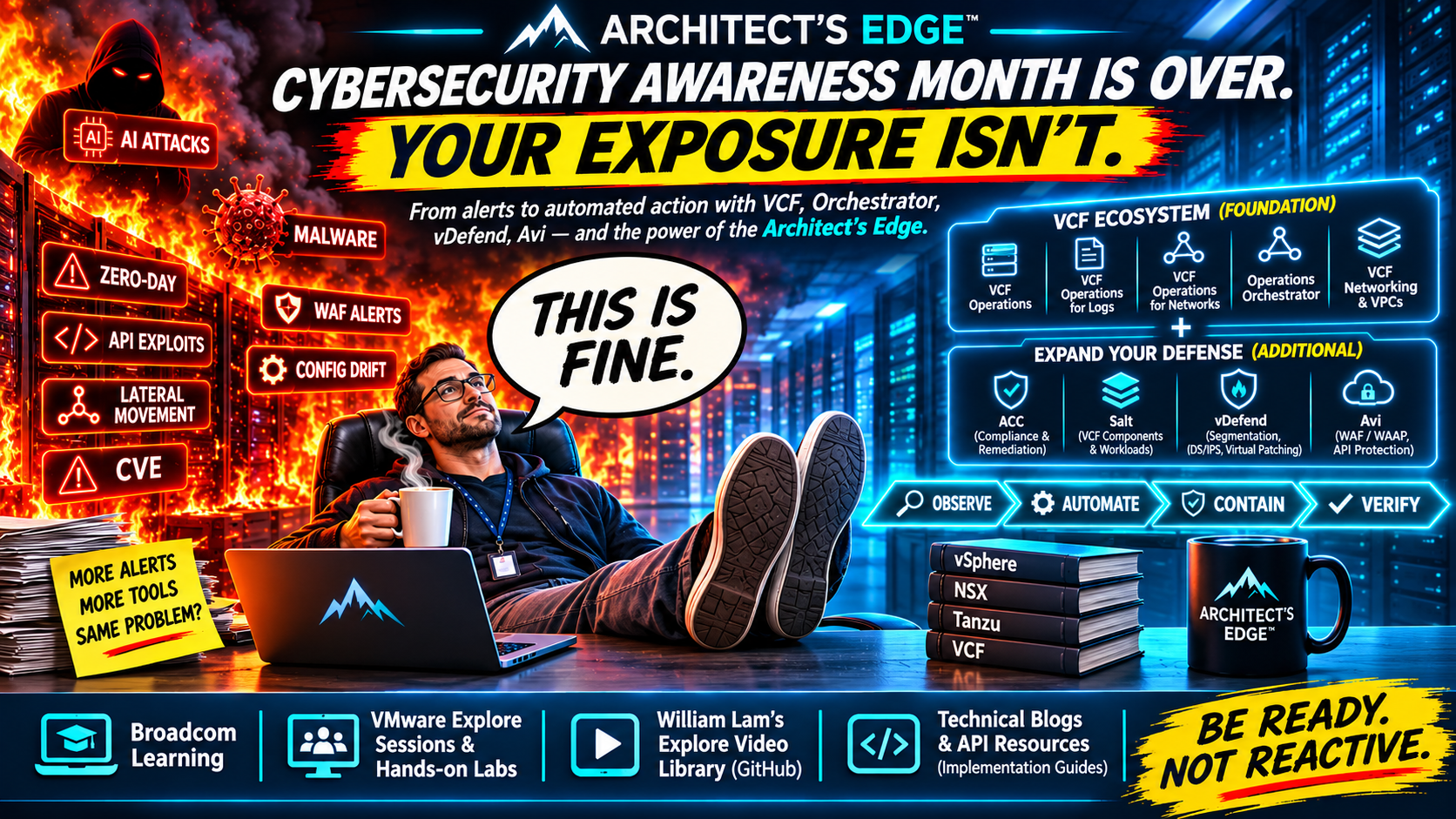
Cybersecurity Awareness Month Is Over. Your Exposure Isn’t.
From alerts to action: a hands-on blueprint for turning the VCF capabilities you already have—and the security investments you may have added—into a measurable, automated defense-in-depth strategy.
Cybersecurity Awareness Month is over. The vulnerabilities aren’t. October gave infrastructure and security teams another extraordinary stretch of advisories, exploit concerns, urgent patching decisions, and application risk assessments. Now come November and December: holidays, year-end change restrictions, limited staffing, and the same applications that the business expects to remain available around the clock. The threats do not pause when families finally have time together.
We explored VMware Cloud Foundation’s infrastructure lifecycle improvements in VCF Defeating the Patching Cycle in the AI Era of Security Threats, including ESX Live Patch and more streamlined patching. Our recent Node2Shell coverage and PHP2Shell response guide illustrate why looking beyond the infrastructure matters. Those capabilities matter enormously. But a current hypervisor doesn’t update a vulnerable PHP runtime, fix an outdated application framework, or secure a forgotten API endpoint. Application owners still need to assess fixes, test dependencies, and deploy changes safely. What protects the application between discovering a vulnerability and completing remediation—and what if the infrastructure can do more than just report that something is wrong?
That’s where an underused opportunity appears. Instead of treating operations, logs, flows, automation, networking, and security as separate disciplines, we can connect them. For organizations running VCF, a great deal of that foundation may already be included in their platform entitlement. Advanced Cyber Compliance (ACC), VMware vDefend, VMware Avi, and even security tools from other vendors can extend it. This is not a pitch to buy everything. It’s a practical guide to discovering what you own, learning it, reproducing it, and putting it to work. If you want to start with the actual workflow engine before reading on, our newly published VCF Operations Orchestrator 9.x standalone deployment and automation guide walks through the OVA, authentication, management pack, API, and first verified remediation, without requiring VCF Automation.
First, the map: What you have and how far it can take you
The matrix below is a capability map, not a promise that every feature is deployed, configured, or licensed in every VCF environment. Release, architecture, edition, and subscription rights matter. The objective is to start with the VCF platform, then add enforcement layers deliberately—not to confuse visibility with protection.
| Layer | Starting point | What it contributes to an operational defense |
|---|---|---|
| VCF Operations | VCF platform | Metrics, super metrics, symptoms, alerts, policies, context and recommendations |
| AI Assistant for VCF (Technology Preview) | Optional 9.1.1 capability; configured extensions and LLM provider required | Conversational troubleshooting, health and log correlation, and management-pack assistance; initial operational interactions are read-only, not automated enforcement |
| Management Pack Builder / Integration SDK | VCF platform extensibility | Bring supported third-party objects, metrics, events and API-derived state into Operations |
| VCF Operations for Logs | VCF platform | Audit and application/infrastructure events, log queries, detection and forwarding |
| VCF Operations for Networks | VCF platform | Flow analytics, application dependencies, paths, exposure discovery |
| VCF Operations Orchestrator | VCF platform; no vRA required | Human-approved and event-driven workflows, API execution and verification |
| VCF Networking / VPCs | VCF platform | Repeatable networking, self-service connectivity, NAT and supported native network services |
| Salt for VCF Components | Embedded VCF 9.1+; API in 9.1.1 | Component configuration/compliance architecture; confirm licensing for specific active functions |
| ACC / enterprise VMware Salt | Additional entitlement | Continuous compliance and remediation, workload configuration management and select enhanced VPC policy |
| VMware HyperArmor | Announced; optional add-on, not a core VCF entitlement | Planned ESX-host virtual patching, positive execution guardrails and SSH MFA; availability and deployment guidance to be confirmed |
| VMware vDefend | Additional entitlement | Distributed firewall/microsegmentation and applicable IDS/IPS, NTA/NDR and virtual patching |
| VMware Avi WAF / WAAP | Applicable add-on and edition | Inline web and API protection, WAF rules, API discovery, enforcement and virtual patching |
Notice the progression: Observe → Understand → Decide → Automate → Enforce → Verify. Visibility alone does not block an attack. A successful workflow invocation alone does not mean a threat has been contained. Real security outcomes depend on an enforced control and evidence that it did what we intended without damaging legitimate service.
1. You already have the beginnings of a security response engine
Too many organizations use logging as a place where information accumulates, and alerts as a mechanism for creating more email. A configuration change is detected, an alert appears, someone opens a ticket, and the real response begins when a human finally sees it. Sometimes that’s appropriate; for well-understood and repeatable conditions, it need not be the limit of our imagination.
Jon Schulz demonstrated a particularly useful starting point in ESX Firewall Change Notifications using VCF Logs & Operations Alerts. He uses the esx.audit.net.firewall.config.changed event, VCF Operations for Logs, message-event forwarding, symptom definitions, alert definitions, and recommendations to surface ESX firewall changes with operational context. His follow-up, Deploy Orchestrator and Install the VCF 9 Operations Management Pack for Orchestrator, shows an actionable Operations recommendation invoking a workflow that stops ESXi SSH and disables its automatic startup.
Those posts are worth reading closely; I won’t retype Jon’s steps here. We also demonstrated the automated approach in our Architect’s Edge Live webinar, VCF Unplugged — Favorite Demos That Deliver Real Value (jump to 24:37). The larger lesson is that event detection, operational recommendations, and corrective action do not have to remain isolated. The blog’s operator-initiated action and the webinar’s automation are related but distinct patterns.
Think about the business significance of enforcing a policy rather than merely reporting a violation. Suppose your organization’s rule is straightforward: ESXi SSH can be enabled for troubleshooting, but it must not remain enabled for more than 60 minutes without an approved exception. At 11:42 p.m., an administrator enables SSH. Operations for Logs captures the relevant service or firewall events, and Operations can surface the affected host and condition. A policy-aware workflow records the start of the approved access window, checks for an authorized maintenance exception, and arranges a follow-up check. At 12:42 a.m., that scheduled check or a recurring compliance evaluation re-examines the actual SSH service and applicable firewall state. If the 60-minute window has expired without an exception, Orchestrator can execute an approved workflow to stop SSH, prevent its automatic restart, restore the intended firewall posture where necessary, and verify the result. If the action fails or the host cannot be validated, the workflow escalates rather than silently claiming success. The timing, exception handling and enforcement need to be designed and tested; they are not automatically provided by simply enabling an alert. That’s the leap: instead of notifying someone that SSH is open, you have a mechanism to enforce how long it is allowed to stay open, even when nobody is watching the dashboard.
VCF 9.1’s standardized Audit Records and cross-component Audit Trail deepen this story. Instead of examining one product’s logs in isolation, investigators can trace relevant management activity across supported VCF components, including access and privilege changes. Audit evidence improves the quality of a response; it is not a substitute for enforcing the response.
Where AI Assistant fits: Broadcom introduced AI Assistant for VCF in 9.1.1 as a Technology Preview. With the required extensions and a configured model provider, it can assist with conversational diagnostics, correlating health, configuration, alerts and logs, and creating third-party management packs. That can strengthen the Understand part of the response cycle; it does not replace authorized enforcement or independent verification. In its initial release, the assistant’s operational interactions are read-only, so it should not be portrayed as an autonomous remediation engine. Customers running earlier compatible Operations and Orchestrator releases can still build repeatable, policy-governed workflows without making the AI preview a prerequisite. For those evaluating 9.1.1, William Lam’s setup walkthrough details the extra enablement and model-provider requirements.
Learn it. Build it. Prove it. Start with HOL-2711-02: Troubleshooting the Private Cloud with VCF Operations, which Broadcom’s refreshed lab map associates with logs, metrics and network-flow analysis. Watch Explore 2026 CLOB1088LV: How to Become a Logs Power User with VMware Cloud Foundation, or locate it using William Lam’s complete 2026 Explore video index. Then reproduce Jon’s alert in a lab: make an authorized test change, observe the log event, confirm the Operations alert identifies the correct host, and document what action should or should not be automated.
2. Orchestrator’s API turns a demo into a reusable operational pattern
The 60-minute SSH rule is the example, not the limit of the architecture. An individual metric, a sequence of measurements, a super metric, a log entry, or an alert built from multiple symptoms can all supply the signal for an operational decision. So can the state of an external service exposed through a supported API and brought into VCF Operations by a management pack. The managed object doesn’t have to be a VM or ESXi host: it might be a storage system, network device, application, load balancer, or another service that Operations can observe. Broadcom documents both the native Management Pack Builder and the VCF Operations Integration SDK for introducing third-party objects, properties, metrics, events and relationships. Once you can identify a meaningful condition, you can design a response policy around it; if the target exposes a supported, authorized action, Orchestrator can help carry that policy into execution.
And no, this does not require vRealize Automation (vRA), subsequently VMware Aria Automation and now VCF Automation. For this operational response pattern, VCF Operations supplies the observations, symptoms, alert logic and context; VCF Operations Orchestrator supplies the workflow engine. VCF Automation can be useful for self-service provisioning, catalog delivery and broader platform workflows, but it is not a prerequisite for an Operations alert to lead to a managed corrective action. Customers who associate Orchestrator exclusively with the old vRA stack may be overlooking a valuable capability they already have within VCF. The relevant Operations and Orchestrator components must, of course, be deployed and integrated for the specific environment. For a complete implementation path, including supported deployment documentation and current Broadcom KBs, follow our standalone VCF Operations Orchestrator deployment guide.
That generality matters. A management pack could, for example, expose a third-party load balancer’s repeated pool-health failures as a symptom. Operations could correlate it with maintenance state and trigger an Orchestrator workflow to gather diagnostic evidence, check dependencies, and—where a supported vendor API and approved policy allow it—perform a narrowly scoped recovery or open a change for approval. The exact remediation will be specific to the product; discovering a condition is not the same as possessing permission or an interface to change it. VCF Operations Orchestrator is the execution engine, with documented REST interfaces to start workflows, pass parameters, inspect progress and collect execution logs. The official Orchestrator API reference is where I would begin designing these integrations beyond the graphical console.
One important interface is POST /workflows/{workflowId}/executions, which starts a workflow. An invocation is not proof of completed remediation: execution is asynchronous. The integration must retrieve its status, inspect errors or workflow outputs, and then verify the target resource independently. The authentication method and available permissions depend on the deployment and how Orchestrator is configured.
A practical pattern is straightforward: VCF Operations recognizes an alert; a configured notification or integration layer passes the relevant context to a trusted workflow trigger; that trigger authenticates, validates the event and target, calls Orchestrator, and tracks the execution. The workflow checks the current state, matches the condition against its approved playbook, performs only its authorized action, and records evidence of the outcome. Some environments will use built-in integrations; others will use a small intermediary service or an ITSM/SOAR system. The existence of an API does not mean every product automatically exchanges events with every other product.
Put it into practice: Reproduce the response
Start by reproducing that 60-minute SSH limit in a nonproduction environment. Define the allowed duration and an approved maintenance exception, then shorten the test interval to a few minutes so you can observe the full cycle. (1) Enable SSH through an authorized test and detect the event with Logs and Operations; (2) record when the access window began and arrange a timed recheck; (3) invoke a read-only Orchestrator workflow through the execution API and inspect its result; (4) at expiry, execute an authorized workflow that stops SSH and prevents automatic startup; (5) independently verify the service and relevant firewall state, and preserve the action record. Finally, test an approved extension, an unknown host and a failed corrective action. Confirm that exceptions prevent unauthorized changes and failures generate an escalation instead of a false success report. The event trigger, timer or periodic check, exception source, and execution workflow must all be configured deliberately.
That negative test may be the most important part. Well-designed automation knows when not to act. A workflow that can safely refuse an ambiguous remediation is much more valuable than one that blindly fires every time an alert appears.
Learn it. Build it. Prove it. Use Jon’s Orchestrator deployment and management-pack guide, our webinar example, and the API documentation. Your first exercise need not change production: have an API-triggered workflow receive a resource ID, return a validated result and log its decision. Then expand it safely. A useful deliverable is a one-page response record showing event, affected object, decision, action, effective state, owner and timestamp. For a second exercise, leave vSphere behind: ingest an authorized third-party service’s API health status using a suitable management pack, build a symptom for repeated failures, have Operations generate an alert, and invoke an Orchestrator workflow that validates the condition and performs a read-only diagnostic action. Only then consider a supported, preapproved corrective API call. That is how you prove the approach is an Operations capability rather than an ESXi-specific trick.
3. Flows and VPCs: Know the attack path before changing the network
Security operations often begin with a list of vulnerable machines but no reliable picture of what those machines do, what they depend upon, or who can reach them. Restrict too little and the exposure remains. Restrict too much and the incident response itself becomes a production outage. VCF Operations for Networks helps with the first problem by showing observed flows and application dependencies. In Broadcom’s October PHP2Shell response, flow data is explicitly used to identify workloads receiving internet traffic; Operations service and application discovery can help identify potential application owners and dependencies.
VCF Networking adds a different piece: repeatable connectivity and self-service VPC services. Supported VPC architectures provide switching, routing, address management, NAT, and network services that can be delivered consistently through automation rather than rebuilt manually for every application. This can reduce configuration mistakes and make a sensible topology repeatable. Broadcom’s VCF 9.1 VPC networking walkthrough describes the networking toolkit and differences between distributed and centralized designs.
Here is a critical architectural distinction: being in different VPCs does not automatically make applications isolated from one another. In VCF 9.1, the explicit Community, Isolated and Promiscuous cross-VPC Connectivity Policy feature requires ACC. Native networking, VPC connectivity, and advanced microsegmentation do different jobs. Treating them as interchangeable could leave a gap exactly where you thought you had a boundary.
Learn it. Build it. Prove it. Use HOL-2704-02: VMware Cloud Foundation Networking (VPC), then watch Explore CLOT1140LV: Master the Virtual Private Cloud, also indexed in William Lam’s video index. Build a three-tier example (web, application, database), document permitted flows, test actual reachability, and explicitly separate a design assumption from an enforced network control. Where your entitlements support it, compare that baseline with cross-VPC policies or vDefend rules.
4. Configuration drift: The Salt and ACC boundary matters
Many security failures are not dramatic zero-days. They’re routine deviations that quietly persist: SSH left enabled, an approved setting modified for troubleshooting, a workload drifting from its hardened baseline, or a deployment template that gradually becomes inconsistent with policy. Detecting drift is useful; maintaining a trusted desired state is better—provided the remediation is supported and safe.
Broadcom’s October 26 explanation of the VMware Salt API evolution is essential reading because Salt refers to more than one implementation. Open-source Salt is independently usable without ACC. Enterprise VMware Salt for customer workloads is an additional VCF service, with centralized management, reporting, RBAC and compliance capabilities. Separately, VMware Salt for VCF Components is embedded in VCF 9.1+, with a programmatic API introduced in 9.1.1 for VCF component configuration and compliance operations.
Do not turn the phrase “embedded in VCF” into an unsupported promise of unrestricted, ACC-free compliance remediation. The product architecture and API are documented; entitlement to particular active Security Posture Management and configuration actions should be confirmed for the release and subscription in use. ACC also enables other functions, including the VPC connectivity policies discussed above. This is precisely why a design should begin by identifying the function and license it requires rather than assuming that installing a component grants everything it might do.
The operational pattern is still powerful. Compare actual configuration with the approved baseline, assess the safety of a correction, invoke the appropriate supported automation or Salt process, and independently verify the resulting configuration. For customer Windows/Linux workloads, enterprise Salt may be a good fit. For VCF components, use the supported VCF management interfaces and check the exact Salt-for-VCF function and entitlement. The goal is to create a repeatable and auditable process, not to let one automation engine become an uncontrolled superuser.
Learn it. Build it. Prove it. Watch Explore CLOB1073LV: VMware Salt — Automating Workload Configuration and Compliance, also available through the 2026 video index, and read the Salt API comparison. In a properly entitled test environment, assess one low-risk setting, introduce a reversible deviation and verify the before-and-after state; document which Salt implementation and management interface performed the change.
Looking ahead: HyperArmor adds another line of defense at the hypervisor
One October announcement is particularly well aligned with the question that opened this article: what can protect an exposed system before the permanent patch is ready? On October 13, Broadcom introduced VMware HyperArmor, an optional ESX hypervisor security add-on designed for VCF and VVF environments running ESX 8.x or later. Where our earlier sections focus on discovering events, restoring approved configurations, and orchestrating responses, HyperArmor is aimed at the host’s execution boundary itself. Its announced capabilities include host-layer virtual patching to interfere with applicable exploit actions, positive security guardrails against unauthorized executables, scripts and file writes, and multifactor authentication in the ESX SSH login path. That makes it complementary to the network threat prevention we’ll discuss with vDefend and the web/application defenses available through Avi—not a replacement for either, and certainly not a substitute for installing official security patches.
Why a preview rather than a how-to? HyperArmor was announced in October, with general availability reported as expected in Broadcom’s fiscal Q1 2027; production deployment requirements and a reproducible public lab workflow have not yet been established for this guide. For now, assess ESX management and SSH access, host hardening, your time from vulnerability disclosure to patch deployment, and the policies that would govern a future pilot. Review Broadcom’s HyperArmor product overview and October 13 announcement, then validate availability and support specifics before including it in an operational playbook. It’s a promising extension of defense in depth, but the executable work in this article begins with capabilities you can exercise now.
5. vDefend: Protect the blast radius, not just the perimeter
Now let’s assume the application vulnerability is real, and patching will take time. A compromised web server should not automatically have unrestricted access to databases, identity systems, shared services or management networks. VMware vDefend extends the architecture with distributed firewall policy, workload microsegmentation and—where licensed and deployed—advanced threat prevention, including IDS/IPS and virtual patching.
With PHP2Shell, for example, Broadcom documented vDefend signatures and segmentation measures that could help protect vulnerable customer workloads even though the VCF components themselves were not affected. Relevant detection and enforcement require that traffic passes the inspection point and is visible in the required form; TLS inspection and policy positioning may be necessary. Segmentation policies should be scoped to real dependencies, and compensating controls are not replacements for fixing the software.
This layer also provides a useful bridge to proactive security work. Broadcom’s October 29 vDefend Security Assessment walkthrough describes a Security Journey that uses observed flows to assess segmentation and threat-prevention posture. Instead of simply announcing that microsegmentation is important, a team can baseline its current coverage, choose a high-value gap, implement a tested policy and assess progress. The walkthrough specifically requires Security Services Platform with Security Intelligence enabled; it is not a free feature of basic VCF visibility.
Learn it. Build it. Prove it. Broadcom’s October security Hands-on Labs guide lays out a progressive route. Try HOL-2770-01: Firewall Security Journey with DFW 1-2-3-4 and ATP 1-2-3, followed by HOL-2770-02: Advanced Threat Prevention and Virtual Patching. For an architectural companion, watch Explore SECB1247LV (the DFW Security Journey) and SECB1279LV (the Patching Dilemma), both indexed in the Explore session index. Your proof is simple: show a previously permitted but unnecessary test path becoming blocked, while required application paths still work.
6. Avi: Protect what arrives at the application
Segmentation can limit how far an intruder moves, but a legitimate inbound connection may still carry a malicious request to a vulnerable application. That’s where the WAF and API-security functions of VMware Avi can add another, distinct enforcement layer. For traffic that actually traverses an appropriately configured Avi virtual service, WAF rules can evaluate HTTP requests, and supported WAAP features can help discover, classify and protect API endpoints.
Broadcom’s August 2026 WAAP announcement describes API discovery, Shadow/Orphan/Zombie/Active classification, per-API policy, rate limiting and OpenAPI-based enforcement. Those capabilities create practical opportunities beyond reacting to the latest vulnerability. An undocumented API can trigger ownership investigation; a sensitive endpoint can receive a more specific policy; a patch-delayed web application can receive a tested virtual mitigation. The Avi API also offers a programmatic policy surface, although every automated policy edit needs change safety, validation and rollback planning.
The October PHP2Shell response is a concrete example. Broadcom’s Avi mitigation KB 460068 described relevant WAF measures. We also maintained a continuously updated PKGuild PHP2Shell impact and remediation guide with the relevant Broadcom product determinations and references. The lesson isn’t that every future issue looks like PHP2Shell; it’s that security teams should know before the emergency which applications are behind which controls and how quickly those controls can be tested and enforced.
Learn it. Build it. Prove it. Follow the Avi portions of Broadcom’s updated security lab guide, then watch Explore SECB1572LV: Secure the Unknown — Automating API Protection and WAF with Avi, also indexed in William Lam’s repository. In a lab, identify a virtual service and its backend, test a safe WAF policy in its supported evaluation or enforcement mode, and document which requests are allowed, inspected and denied. A WAF rule that breaks essential transactions is not a successful security outcome.
7. Your existing security investments still belong in the design
Many real datacenters already use Cisco ACI, Illumio, Palo Alto Networks, endpoint protection, identity platforms, SIEM and SOAR. Those deployments should not be discarded simply to make a slide look vendor-consistent. The appropriate question is which system can actually enforce the required control, who owns the policy, and whether it provides a supported automation interface.
Examples include policy management through Cisco APIC, workload-based segmentation through Illumio, and predefined Palo Alto Networks dynamic address groups using supported address/tag registration methods. An Orchestrator workflow can be designed to request a documented action through a third-party API, or an existing SOAR platform can coordinate a security decision while VCF supplies host, workload and network context. These are architecture patterns requiring integration, authorization, testing and clear ownership—not turnkey integrations that should be assumed to exist everywhere.
A particularly useful caution: Cisco ACI and NSX integration designs have changed across releases, and older direct ACI–NSX-T VMM integration paths are deprecated in recent APIC releases. Verify the supported architecture for your deployed versions. Avoid two automation systems simultaneously editing the same network policy, and don’t allow an emergency script to bypass the change controls you’re trying to improve.
8. One afternoon of learning can start a repeatable operating model
So what should an administrator, architect, or security engineer actually do this week? Don’t start by proposing a six-month transformation program. Pick one meaningful condition: an unauthorized management-service change, an unexpectedly exposed workload, or an application with more permitted connections than it truly needs. Identify the owner, current state, expected state, data source, enforcement point, approval requirements, and evidence of success. Build the workflow in a lab. Prove it behaves correctly, including when it should refuse to act.
For the first iteration, define five tangible artifacts: a detected event; an owner and affected resource; an approved decision; an execution record; and independent evidence that the intended security state was achieved. That set of artifacts is much more useful than a dashboard full of red icons. It also gives a CISO a defensible explanation of what risk was reduced, and it gives operators a repeatable procedure that does not depend on one person’s memory.
Where to learn: Broadcom refreshed the VMware Hands-on Labs catalog for VCF 9.1 in September 2026, replacing numerous HOL-26xx exercises with the current HOL-27xx series. The October vDefend and Avi HOL learning path adds targeted security exercises. William Lam’s GitHub collection indexes 189 VMware Explore US 2026 on-demand sessions as of his October 15 update, making it easy to explore the session IDs referenced throughout this article. These are not substitutes for production validation; they’re opportunities to learn safely, then bring the knowledge back to your own environment.
VCF customers should also check their Broadcom Learning entitlements guide. Eligible platform and strategic customers receive defined digital-learning and instructor-led-training entitlements; on-demand courses with dedicated virtual labs and certain other offerings may require a separately paid subscription. Know the difference, because there are excellent learning paths already available to many customers.
9. The close: Awareness was October. Operational readiness is every month.
The best defense-in-depth architecture is not simply a stack of purchased products. It’s an environment where teams understand what exists, which applications depend on which services, where enforcement happens, how an alert becomes an authorized action, and how they can prove the action worked. Visibility gives you the information. Orchestration gives you a way to respond. Network and application protections limit the opportunities available to an attacker. Continuous compliance helps prevent preventable drift. A real operating model connects the pieces and accounts for the business.
The payoff is especially meaningful in November and December. People should be able to enjoy their time away without wondering whether every alert requires an urgent call, yet high-impact decisions must still have appropriate oversight. We should automate the safe, well-understood work and preserve human judgment for the uncertain and consequential work. Then keep patching the vulnerabilities themselves, rather than mistaking temporary protection for a permanent fix.
Cybersecurity Awareness Month is over. Your exposure isn’t. Start with the tools you already own. Learn them. Reproduce the demonstrations. Connect the APIs. Test the boundaries. Expand where the security benefit justifies it. Don’t just automate the alert. Automate the appropriate response—and verify that it worked.
Reference shelf: Start here and go deeper
Automation: Jon Schulz: ESX firewall change alerting · Jon Schulz: Orchestrator management pack · Architect’s Edge Live at 24:37 · Orchestrator API
Education: VCF 9.1 lab refresh · Security lab learning path · William Lam’s 2026 Explore video library · Broadcom Learning entitlement guide
Security implementation: HyperArmor announcement and hypervisor-layer strategy · VCF vulnerability-response walkthrough · vDefend Security Assessment · Salt API and licensing distinctions · Avi WAAP architecture